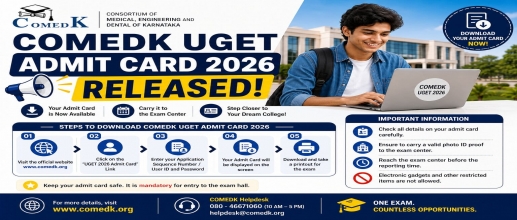
The COMEDK has released the admit card on April 30, 2026. If you have registered for the UG entrance test, you can download the Test Admission Ticket from the website. The admit card is also called TAT. The admit card is a very important document. It is required for the exam process. You must carry a printed hard copy of the admit card. Are also required to have a photograph and paste it on it. Soft copies of the admit card will not be accepted. Without the admit card, you will not be allowed to enter the exam hall. Therefore, to enter the exam hall, you need a printed copy of the hall ticket. The COMEDK UGET 2026 exam is scheduled on May 9 2026. You can download the admit card until the exam day. You must download the admit card as early as possible. This will help you to avoid any last-minute problems.
You can check the important dates for the admit card, result and exam in the table below.
|
Particulars |
Dates |
|
COMEDK Admit Card released |
April 30 2026 |
|
Last Date to Download |
May 9 2026 |
|
COMEDK UGET Exam Date |
May 9 2026 |
|
Answer Key release |
May 13 2026 |
|
COMEDK Result date |
May 26 2026 |
To download your admit card, check the following steps:
The COMEDK UGET admit card has important details. You must verify all the information carefully before downloading the tickets. If there is any error, you must contact the COMEDK authorities immediately. The admit card generally has these details:
When students face issues while downloading the COMEDK UGET admit card. One of the most common problems is entering the wrong credentials. In some cases, heavy traffic on the official website also slows down the server. You must refresh the page or try again after a little time. If you find any wrong details on the admit card such as spelling mistakes, photo issues or wrong exam centre, you must immediately contact the exam authorities.
After downloading the COMEDK UGET admit card, you have to carefully check all the information added. You must also paste a photo in the space given. It is advised to take multiple printouts of the admit card. You should read all exam instructions carefully on the hall ticket. You are encouraged to visit the exam centre in advance to avoid any confusion.
You need to carry other documents with the admit card. You can carry a photo ID proof. You can bring an Aadhaar card or passport or driving license, or PAN card along with you. If you failed to bring the required document, you will not be allowed to take the exam.